How to keep your Mac awake
There are a few ways to keep a Mac from going to sleep, depending on how much control you want. Here they all are, from the built-in options to a menu-bar app that does it on your terms.
The built-in ways
macOS has some of this built in:
- System Settings. Under Displays, "prevent automatic sleeping when the display is off" keeps the system awake while it is plugged in. It is all-or-nothing, and only applies on power.
- The caffeinate command. In Terminal,
caffeinatekeeps the Mac awake until you stop it, andcaffeinate -t 3600does it for an hour. It works, but it lives in a Terminal window and takes flags to remember.
These are fine for a quick, blunt "stay awake." They do not let you keep awake only under certain conditions, run with the lid closed on battery, or see what is holding sleep off.
The menu-bar way: Keepresso
Keepresso is a free, open-source menu-bar app built on the same macOS power technology as caffeinate, with the controls those built-in options lack. Flip it on from the menu bar and pick how you want it to behave:
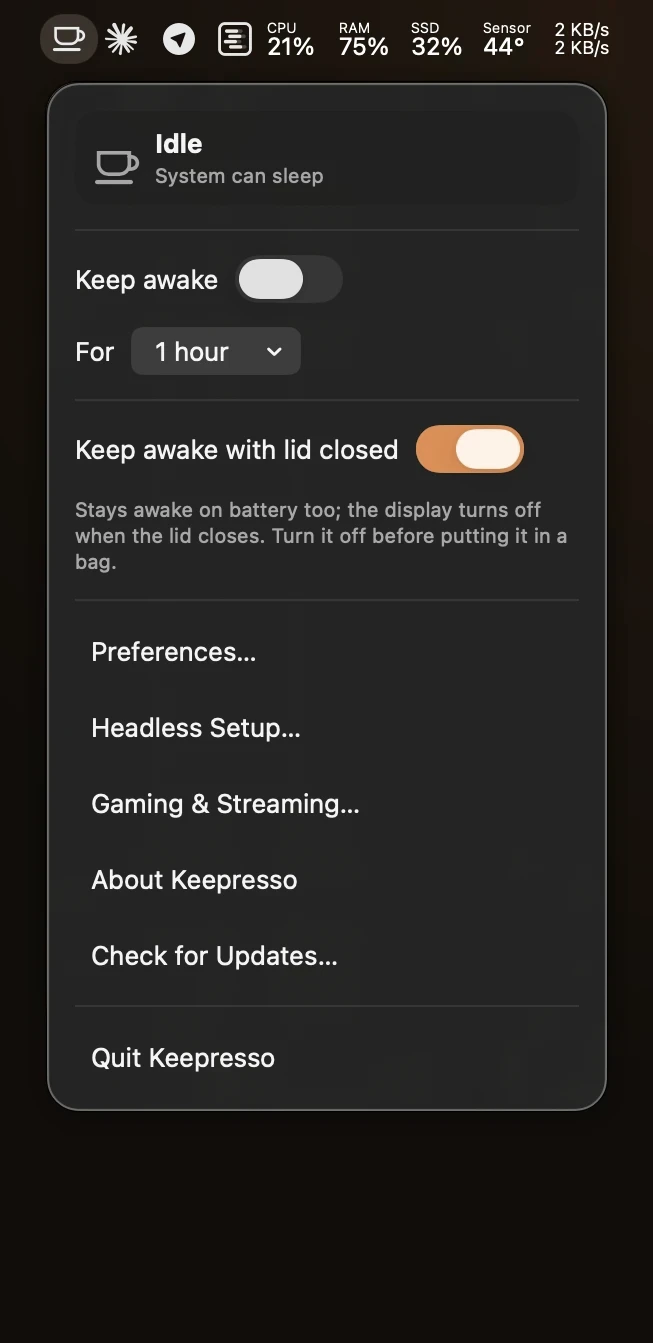
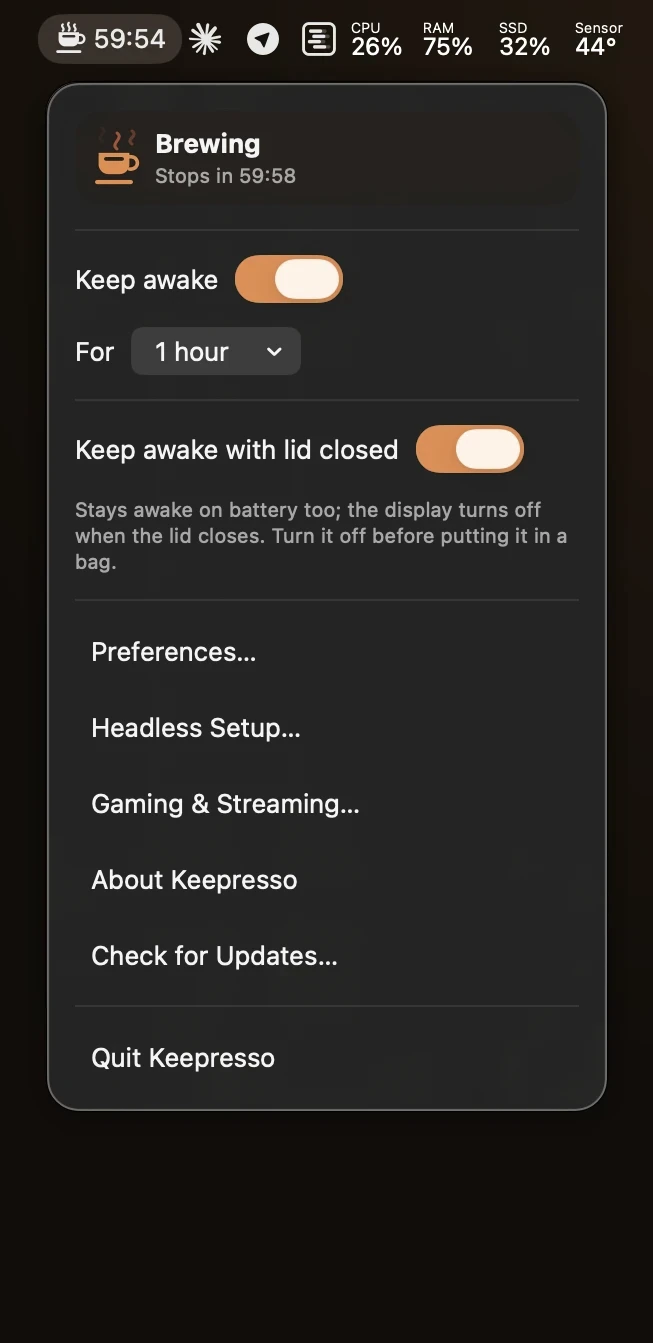
- For a set time. Fifteen minutes, an hour, or a custom duration, then it lets the Mac sleep on its own. See keep your Mac awake for a set time.
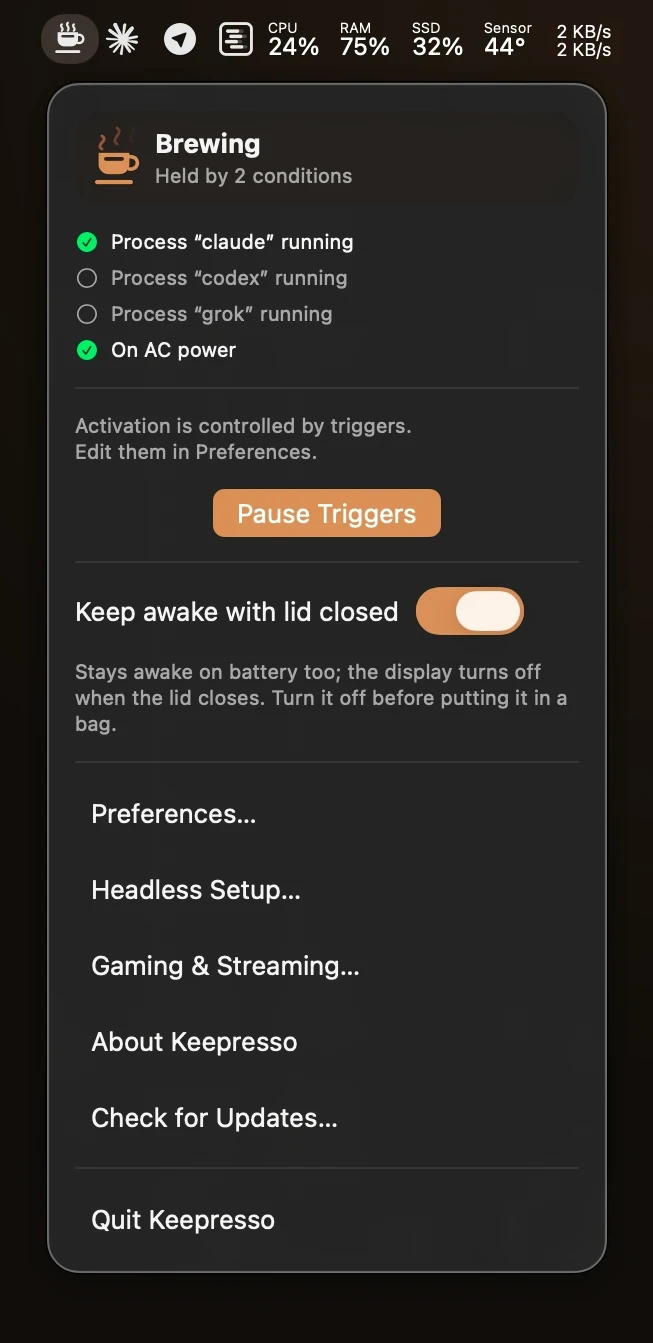
- Only when it matters. Stay awake only while on power, on a call, while an app runs, during a build, and more, with smart triggers.
- With the lid closed. Keep working with the lid shut, on battery, with the screen off, unlike Apple's clamshell mode. See keep your MacBook awake with the lid closed.
- Awake, screen off. Keep the system up while letting the display sleep, or keep the screen lit for a kiosk or dashboard (more on this just below).
System sleep and display sleep are different
macOS has two kinds of sleep: the whole system going to sleep, and just the display turning off. Keepresso can hold one without the other. Its default keeps the system awake while letting the display sleep normally, so a long download, build, or remote session keeps running while the screen still goes dark when you step away.
- Let the screen sleep on a timer. Turn on "allow display sleep after N minutes idle" and the Mac stays awake the whole time; only the display sleeps after the idle minutes you pick. Move the mouse and it comes back.
- Keep the display on. For a kiosk, dashboard, or status wall, turn on prevent display sleep as well, and the screen stays lit for as long as the session runs.
- Keep the display on, but dimmed. With prevent display sleep on, turn on dim the display when idle and the screen drops to its dimmest a few minutes after you step away, then snaps back to your brightness the moment you return or the session ends. Handy for an overnight run where you want the screen ready but not burning in.
- With the lid closed, lid-closed mode sleeps the internal panel so it is not lit inside the shut lid, while everything else keeps running.
Common reasons to keep a Mac awake
- Sitting through a long video call without touching the trackpad.
- Staying active in Teams, Slack, or a remote-desktop session while you read or step away.
- Finishing a big download, build, or render unattended.
- Running a headless Mac mini or Studio as an always-on machine.
- Keeping an external drive or NAS from spinning down.
- Coming from the caffeinate command or Amphetamine and wanting a menu-bar app instead. Full comparison: Keepresso vs Amphetamine, KeepingYouAwake, and caffeinate.
The quickest start
Install Keepresso and click the cup in your menu bar:
brew install --cask gyorgysh/keepresso/keepresso
Full steps in Install Keepresso and keep your Mac awake.
Get Keepresso
Free and open source, for macOS 14 and newer. Install it and keep your Mac awake on your terms.
More in Getting started