Stop your Mac sleeping during Zoom, Teams, and Meet calls
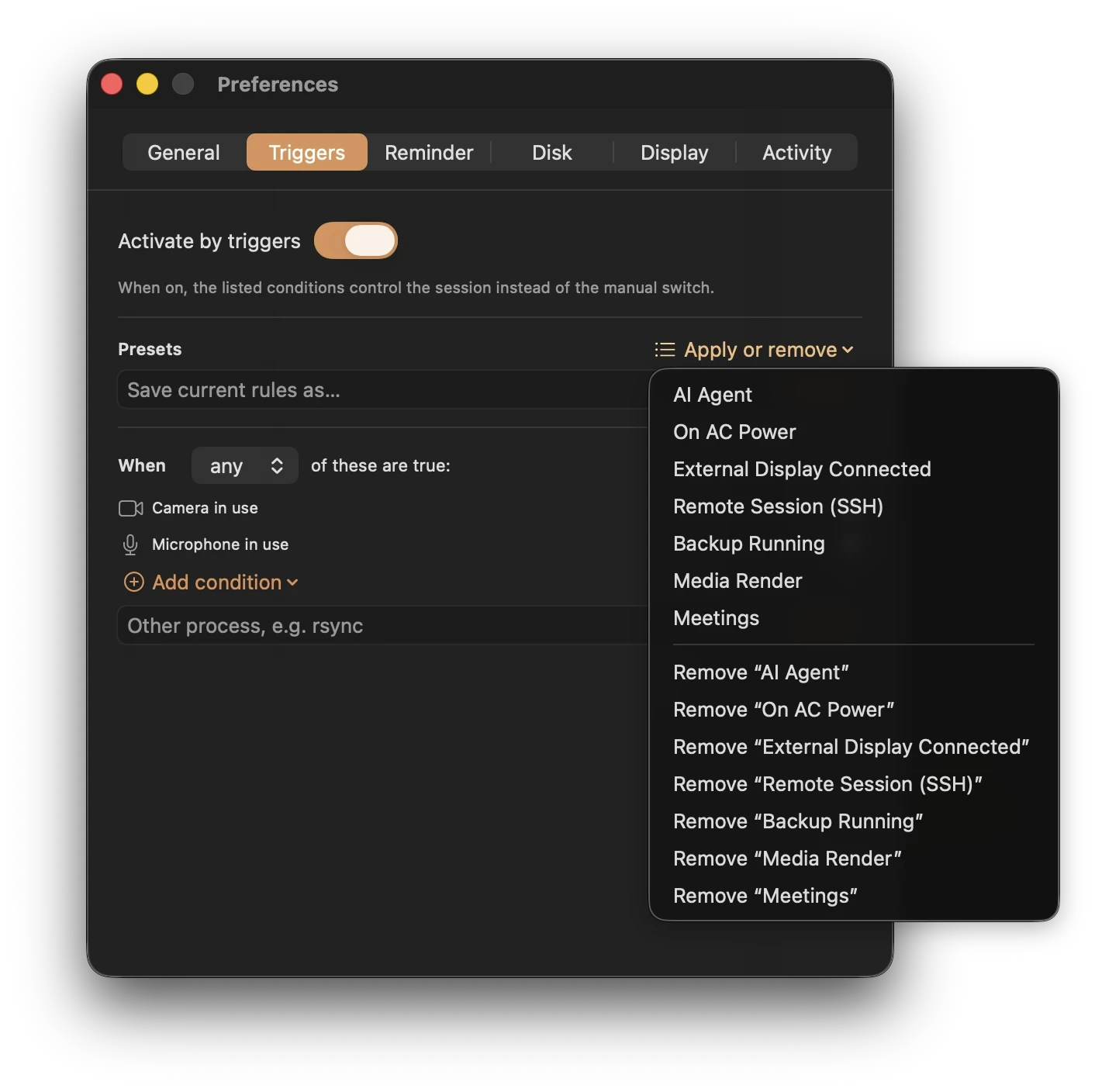
Keepresso's Meetings preset holds the Mac awake while a camera or microphone is in use, including during calls in a browser. A view-only session with both devices off needs an app-running or audio-playing trigger instead. Keep-awake prevents idle sleep; it cannot prevent a network disconnection or a meeting app failure.
Turn it on
Open Keepresso, apply the Meetings preset, and you are done. From then on, the moment any app starts using the camera or the mic, your Mac stays awake, and it goes back to normal sleep when the call ends.
Why it beats a per-app rule
- It catches every meeting app. Zoom, Microsoft Teams, Google Meet, Slack huddles, FaceTime, and calls running in a browser tab, which an app-name rule cannot see. If it uses the camera or mic, it counts.
- No permission prompt. Keepresso reads only the system's "camera or mic is in use" signal, the same thing that lights the green and orange dots in your menu bar. It never opens the camera or microphone, so macOS never asks for camera or mic access.
Only while one app is on the call
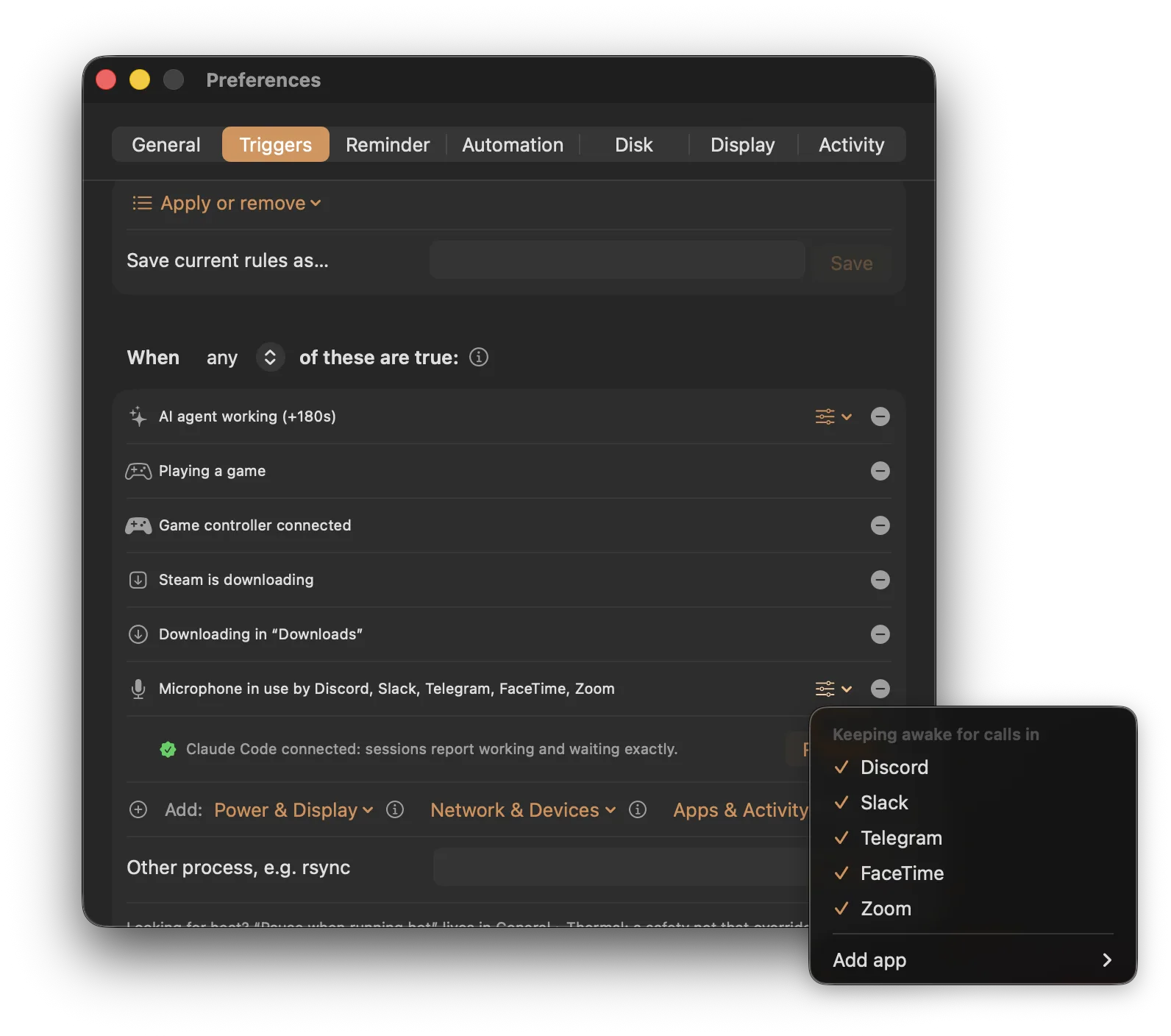
The Meetings preset keeps the Mac awake whenever anything touches the mic. If you would rather it fire only for real calls in one app, add a Microphone in use by app trigger instead and pick the app: the one on the mic right now, a common call app, or any app you choose. Then a background app that happens to hold the mic, or an always-connected external microphone, will not keep the Mac awake on its own, only a Slack, Discord, or Zoom call does. It needs no extra permission either, the same way the camera-or-mic trigger does not.
Combine it with other conditions
The Meetings preset is a trigger like any other, so you can add more. Keep awake during calls and while on power, or and while a specific app runs. See smart triggers for how conditions combine.
Audio-only calls and playback
If you are on an audio-only call or listening to something, the Audio playing trigger keeps the Mac awake while sound is coming out, with a short grace period so a pause between tracks does not end the session.
Frequently asked
Does it need camera or microphone permission? No. Keepresso reads only the system's "camera or mic is in use" signal, the same one that lights the green and orange dots in your menu bar. It never opens the camera or microphone, so macOS never prompts for access.
Will my Mac stay awake after the call ends? No. The moment the camera and mic are free again, the condition goes false and Keepresso lets the Mac sleep normally, with a short grace period so a quick mute or camera-off mid-call does not cut the session.
What about a call with no camera or mic, like watching a shared screen? The Meetings preset keys off camera and mic, so a view-only session will not trigger it. Add the meeting app as an app running trigger, or use the Audio playing trigger if there is sound, to cover that case.
Does it keep the screen on too? By default it keeps the system awake while letting the display sleep. During an active call the meeting app usually keeps the display on itself; if you want to guarantee it, turn on prevent display sleep as well.
Get Keepresso
Free and open source, for macOS 14 and newer. Install it and keep your Mac awake on your terms.
More in Using Keepresso