Closed-display mode
Close the lid, it keeps working
Downloads, builds, agents, SSH, and backups run to completion with the lid shut.
How it works →Sleep is now opt-in
Your Mac sleeps at the worst moments: mid-download, mid-render, mid-call, mid-agent-run. Keepresso keeps it awake exactly when it should be, then lets it rest. Free forever, no account, no trackers.
Everything it does
Every situation where a Mac should not doze off, covered. Browse by what starts a session, how you control it, what it changes, or how automation reaches it.
Closed-display mode
Downloads, builds, agents, SSH, and backups run to completion with the lid shut.
How it works →Keep me active
Remote-desktop sessions, VDI, and chat apps flip you to away the moment you stop typing, and some corporate systems log you out for it. Keep me active reports activity to macOS so you stay present while you read, watch, or think.
Keep your status active →Built for the agentic era
Leave an agent running overnight and your Mac stays up only while it works. The AI agent trigger watches claude, cursor, codex, gemini, and friends in your terminals, and stands down once the last session has been quiet for the grace period you set. Connect Claude Code, Cursor, Codex, or Antigravity and each session reports its own state, so a pause for a permission prompt still counts as working.
Leases, MCP, and the skill →Gaming and streaming
AWDL shares the Mac's Wi-Fi radio with features such as AirDrop and Sidecar. When that activity contributes to latency spikes, Keepresso can pause it for your gaming session. Use the jitter test to compare your connection.
The AWDL deep-dive →Headless Mac mini and Studio
Tuck a Mac mini or Mac Studio away as a build machine, agent host, or home server. Keepresso walks you through making it stay awake, survive a power cut, and come back on its own, then serves a crisp Retina desktop over Screen Sharing, so checking logs or your MyAgens panel feels like sitting right in front of it.
The headless checklist →Sessions & control
Lock the keyboard while you wipe it, without typing into the frontmost app or accidentally opening Mission Control, Spotlight, or Dictation.
How it works →Sessions & control
When a cafe or hotel login page refuses to appear, open the captive portal, flush DNS, or cycle Wi-Fi from one small recovery panel.
How it works →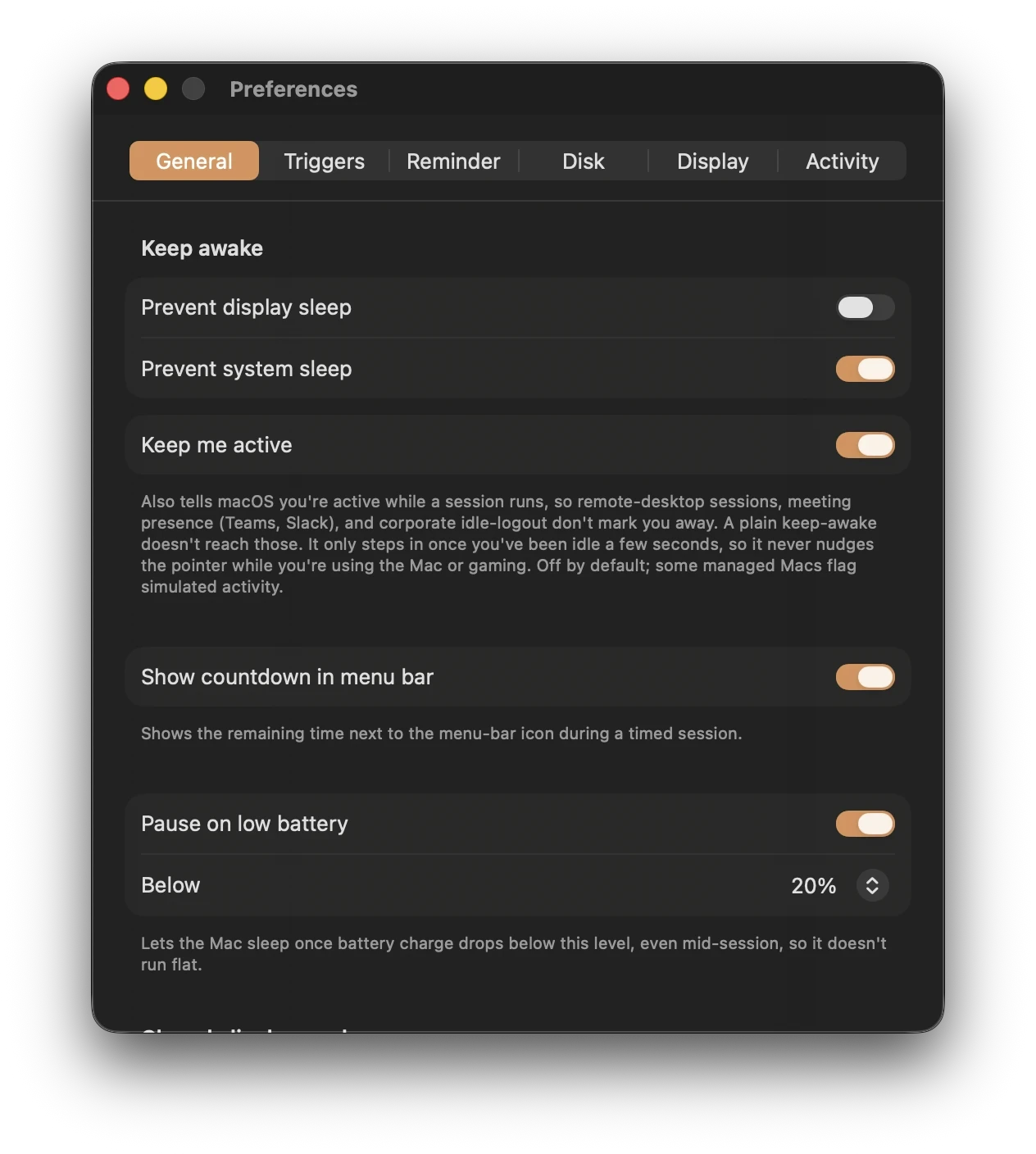
Preferences
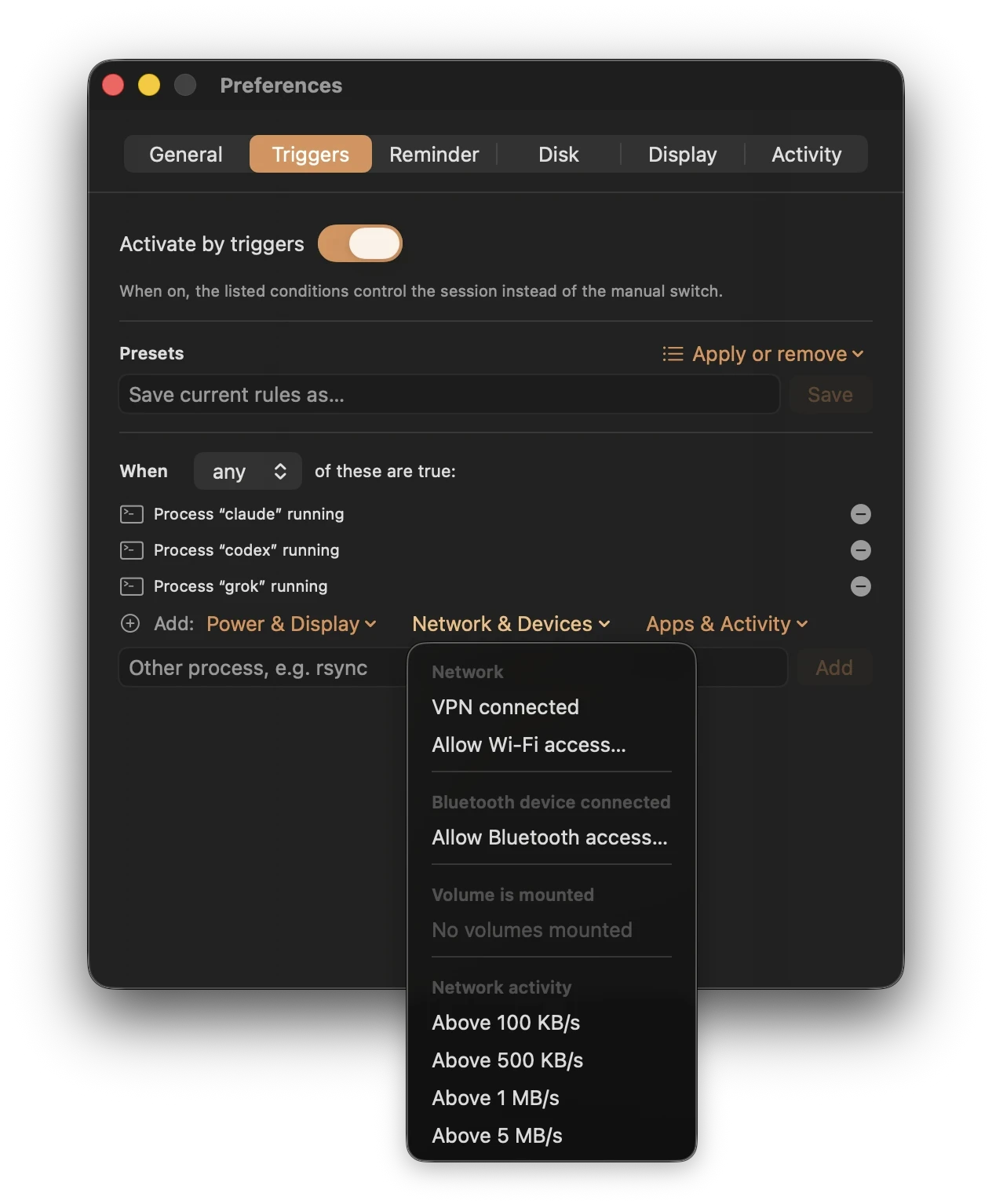
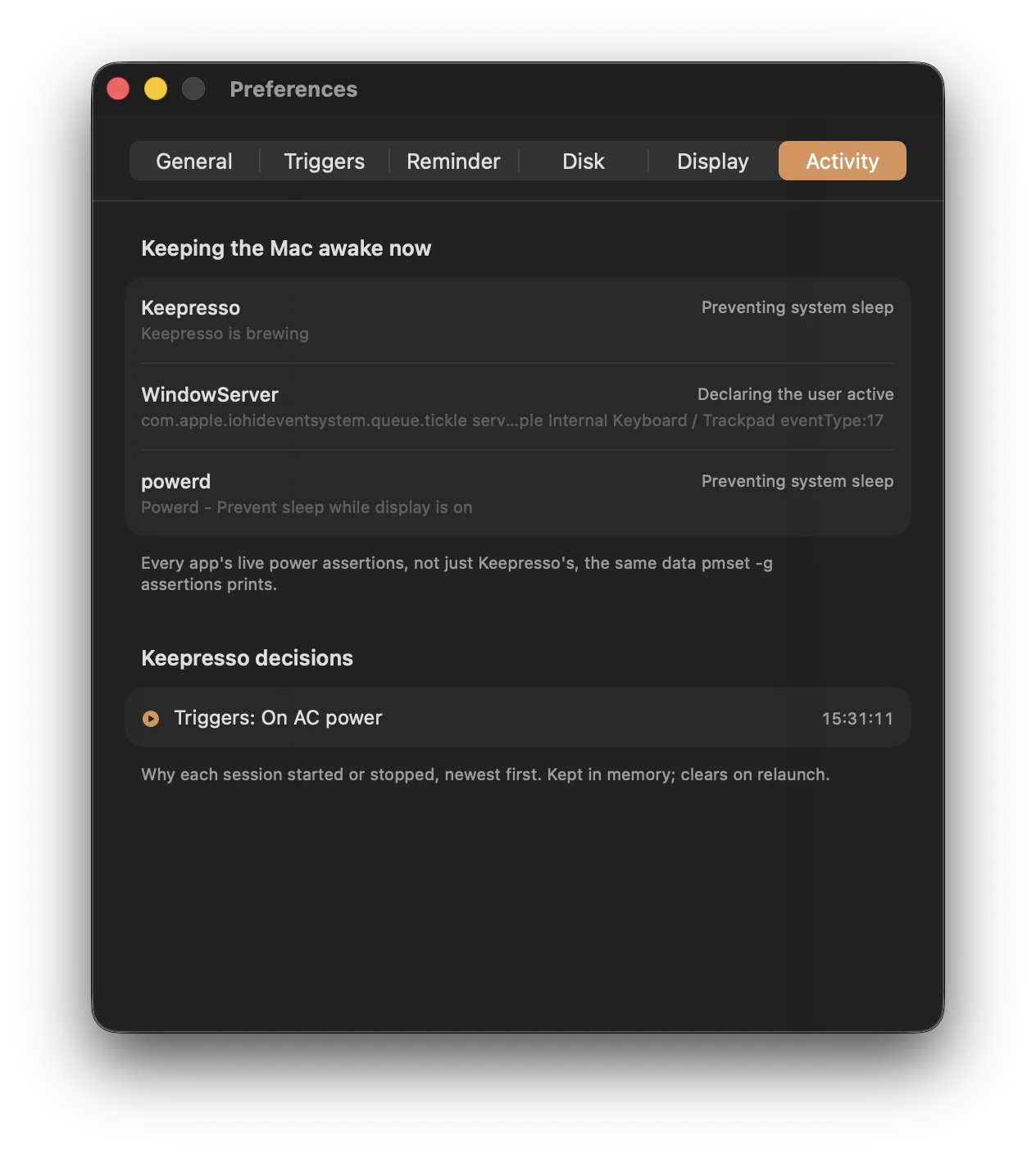
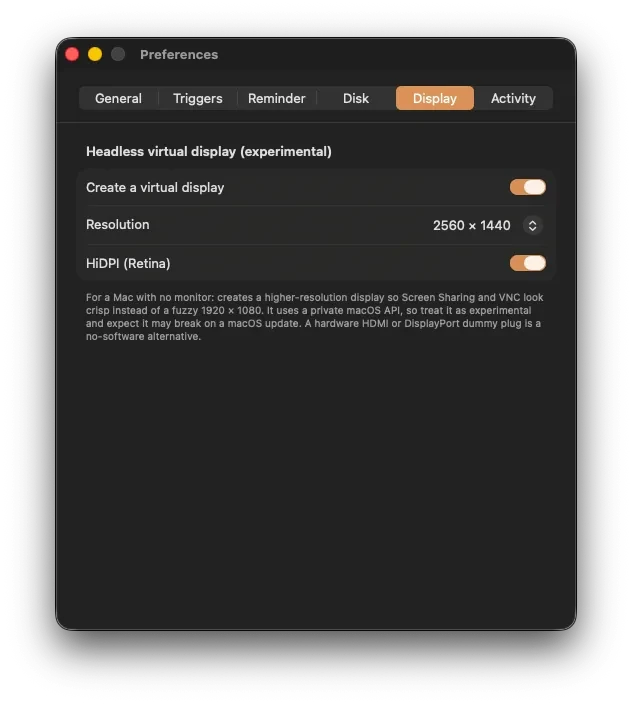
Everything configurable lives in seven tabs, with the Gaming & Streaming tools in their own window. The menu stays a one-click affair.
what keeps it awake
Stay awake while a coding agent is actually working, not just sitting open. Detects Claude, Cursor, Codex, Gemini, Grok, Antigravity, Hermes, Kilo Code, OpenCode, DeepSeek Harness, LM Studio Bionic, Kimi Code, Qwen Code, Muse Code, Devin CLI, and more. Connected tools report exact per-conversation state; everything else is judged from live work, not an idle app window.
Stay awake while a game or cloud client is in front, while a game controller is on (DualSense, Xbox, any gamepad, even the Steam Controller, detected permission-free at the hardware level), or while Steam is downloading or updating a game in any library.
Stay awake while anything uses the camera or the mic, read from device state without touching the stream, so there is no permission prompt. One rule covers every meeting app, including calls in a browser tab, or scope it to a single app so only a Slack, Discord, or Zoom call counts.
Stay awake only while charging or on battery, when an external display is connected, on a chosen Wi-Fi or VPN, or while a specific app runs. Combine conditions with any or all, and pause it all with one click.
Stay awake while network throughput sits above a rate you pick, 100 KB/s up to 5 MB/s, or while a watched folder has a download landing in it, so a big transfer finishes instead of stalling.
A daily time window on the days you choose: weekdays 9:00 to 18:00, or an overnight 22:00 to 6:00 that runs past midnight. Work hours and Overnight starting points included.
Stay awake while sound is playing: music, a video, a podcast. A 30 second release grace rides out track gaps and brief pauses so the session does not flap.
Holds the Mac up while smoothed CPU usage sits above a threshold you pick. Long builds, renders, and training runs stay awake; a momentary spike does not.
Stay awake while a paired Bluetooth device is connected: a controller, headphones, a trackpad. A 30 second grace period rides out a brief drop so the session does not flap.
Hold the Mac up during events on your calendar, so a meeting, a class, or a booked block on the day keeps it awake with no manual switch.
Stay awake while a chosen external drive, SD card, or network share is mounted, and let disk keep-alive stop it spinning down mid-job.
run them your way
Presets, a custom hours-and-minutes duration, or a session that ends at a wall-clock time, later today or tomorrow if it already passed. Mid-session, one click converts it to stop in 15, 30, or 60 minutes.
Apply a named trigger bundle in one click: Meetings, AI Agent, Gaming, On AC Power, External Display, Remote Session, Backup Running, Media Render, and more, or save your own rule sets. Restore a default you deleted.
Why is my Mac awake? The menu names the app holding it up, and the Activity pane lists every app's live power assertions, plus a decision log of why each session started or stopped. The log survives a relaunch, with a seven-day summary of how long Keepresso held the Mac awake.
Set a global hotkey to start or stop keep-awake from any app, without reaching for the menu bar. Toggle a session in the middle of a task and carry on where you left off.
Begin a keep-awake session automatically the moment Keepresso opens at login, so an always-on Mac is already holding itself up before you sit down to touch it.
Save your whole setup, triggers, presets, and rules, to a file, then import it on another Mac or after a clean install, so you are not rebuilding conditions from scratch.
Lock the keyboard while you wipe it, without typing into the frontmost app or accidentally opening Mission Control, Spotlight, or Dictation.
When a cafe or hotel login page refuses to appear, open the captive portal, flush DNS, or cycle Wi-Fi from one small recovery panel.
what it does to the Mac
Every privileged switch, closed-display mode, the gaming AWDL pause, a fan boost, a game's CPU priority, a scheduled wake, once meant an admin password prompt. Approve the helper a single time under Login Items and each of them is instant and silent after that. It rides out restarts, updates itself along with the app, and lifts out from the same place.
Install a one-shot or repeating system wake through the admin helper, then start a session or leave triggers in charge. Keepresso can sync recurring Claude Desktop routines, Codex automations, and tokenstat.ai jobs and wake the Mac just before each one. It reads schedule and name, never the prompt. Reliable on AC power; on battery the firmware may skip the wake.
Watch macOS thermal pressure or selected sensors. On sustained heat, Keepresso can boost fans, then pause the session and lift its sleep override. Test the fan control before relying on it. This is a fallback; a working Mac still needs ventilation.
A still-brewing notification after N minutes, with an optional sound, so a forgotten session can't drain the battery. When a session ends on its own, it can sleep the display, start the screen saver, lock the screen, or put the whole Mac to sleep.
Let the Mac sleep once charge drops below a threshold you choose, even in the middle of a session, so a keep-awake rule never runs the battery flat. When it pauses, a notification says why, and plugging in picks the session back up.
Keep the screen awake but drop it to its dimmest a few minutes after you step away, then snap your brightness back the moment you return or the session ends. Kinder to the panel and the battery on an overnight run than a screen left fully lit.
Let the screen saver or display sleep kick in after a few idle minutes while the system itself keeps working, so the machine stays busy but the screen still gets to rest.
Keep remote desktop, VDI, Teams, Slack, and idle timers seeing you as present. Use the prompt-free macOS method, or choose F15, Shift, another key, or a tiny mouse move when a particular system needs a physical-style signal. Accessibility is requested only for key or mouse methods.
Keep running with the lid shut and no external display, on power or battery. The internal display turns off. Use a stable, ventilated surface and stop the session before putting the Mac in a bag.
reach it from anywhere
Run a Shortcut, POST a webhook, or run a shell command when something happens: a session starts or ends, a trigger fires or releases, a battery or thermal pause hits, an AI agent goes idle. A push to your phone when the overnight run finishes is one hook away.
A keepresso CLI drives the app from scripts and pipelines: start, stop, toggle, and status with a JSON status file, plus lease and wake commands for automation. Or hold the Mac awake caffeinate-style, with no app at all, until a process exits or you hit Ctrl-C.
Scripts and AI agents hold the Mac awake through bounded leases they must keep renewing, so a crashed tool's lease simply expires. Live countdowns in the menu, Stop ends them all, and a bundled MCP server plus a one-click agent skill teach Claude Code, Gemini CLI, Grok, or Codex the whole protocol.
The whole app is translated: the menu, the Setup and Gaming and Streaming screens, notifications, VoiceOver labels, and the desktop widgets. Pick your language in Preferences or on the Welcome screen, or let it follow the system.
First-class Shortcuts actions (start, stop, toggle, optionally for N minutes) that work from Spotlight and Siri too, plus keepresso://start?duration=60 or until=18:00 for Raycast, Alfred, and scripts.
Live-countdown desktop and Notification Center widgets on macOS 14 and up, plus a Control Center toggle on macOS 26 to start or stop a session, all without opening the menu.
A setup checklist probes sleep, auto-restart, auto-login, and remote access, and an experimental HiDPI virtual display keeps Screen Sharing crisp with no dummy plug.
Install
Either way, Keepresso keeps itself up to date from there with signed Sparkle releases.
Installs the signed, notarized app straight from the tap, and puts the keepresso command on your PATH so scripts can reach it right away. Update along with the rest of your casks, or let the app update itself.
Download the latest DMG from Releases, drag Keepresso to Applications, and launch it. Click the cup in the menu bar and you are brewing.
Want the keepresso command too? A DMG install does not touch your PATH, so link it once.
Closed-display mode flips a system setting (pmset disablesleep), so it needs administrator approval. Approve the helper once under Login Items and it never asks again.
Works well with
tokenstat turns every session from Claude Code, Codex, Cursor, and every other harness and agent on that Mac into one heatmap and dashboard. It prices everything at list rates, so you can see exactly what the work would cost if you paid the APIs yourself, and how much value your subscription already gives you. Local by default, with a free plan and source code available.
Claim your handle now