Keep an external drive or NAS from sleeping on your Mac

An external drive that spins down in the middle of a backup or a copy can stall the job or drop the volume. Keepresso keeps a drive awake two ways: it can keep the drive itself from idling, and it can keep your Mac awake while the drive is mounted.
Keep the drive spinning
Turn on disk keep-alive and point it at the drive, SD card, or network share you want to keep active. Keepresso writes a tiny hidden marker file to it on an interval (every five minutes by default, adjustable), which counts as activity and stops the drive spinning down. Most drives idle out around ten minutes, so a five-minute touch keeps them awake.
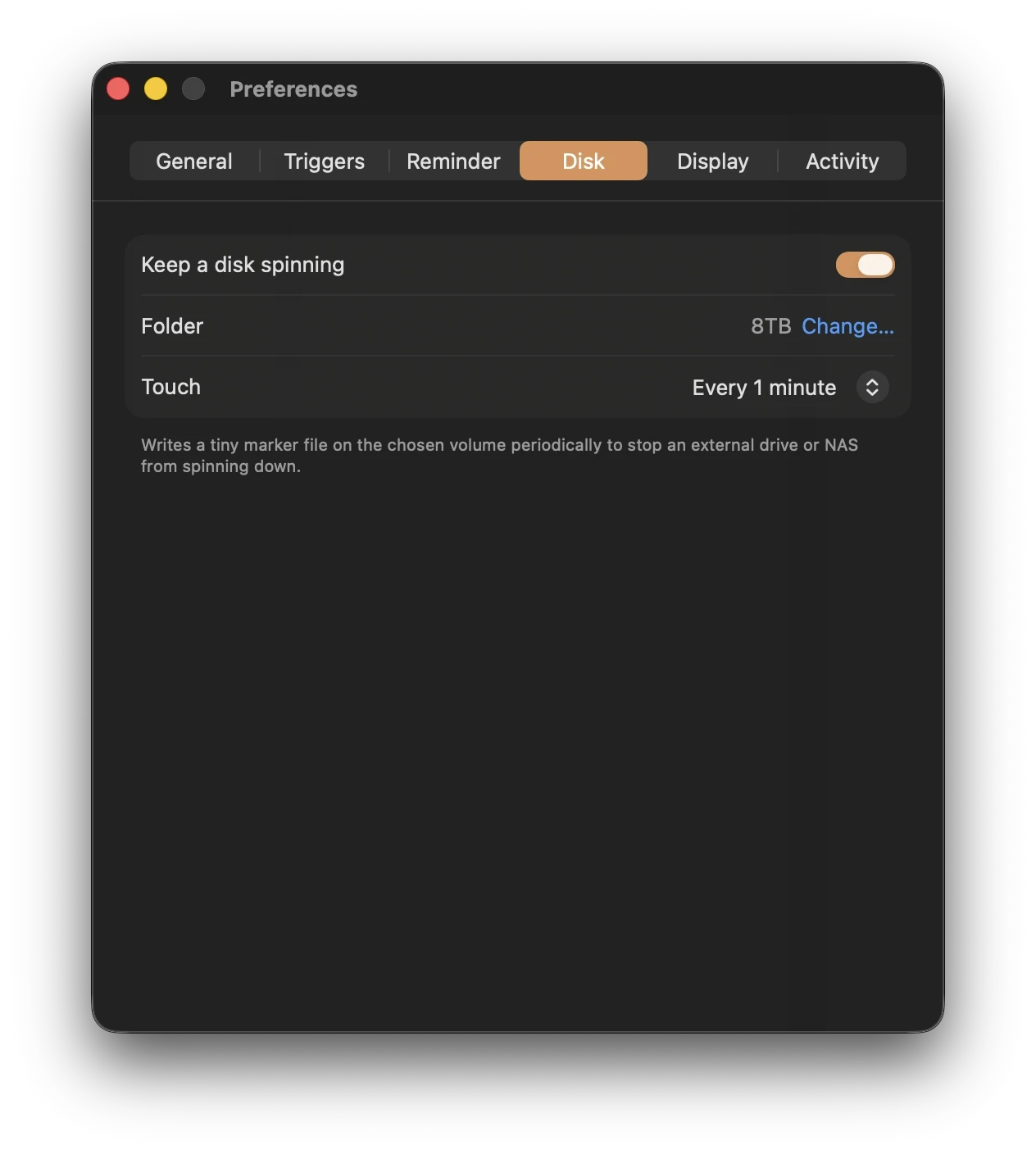
Keep the Mac awake while the drive is connected
Add a Volume mounted trigger for that drive, and Keepresso keeps your Mac awake the whole time it is connected, then lets it sleep once you unplug. Combine the two and a long transfer or backup runs start to finish, without the drive or the Mac dropping out.
When to use it
- A Time Machine or backup job to an external disk.
- Copying a large library to or from a NAS.
- Keeping a scratch drive or SD card responsive during an edit.
Frequently asked
Does the marker file harm the drive or my data? No. It is a single tiny hidden file that Keepresso rewrites on the interval you set. It only updates a timestamp, which is what a drive reads as activity, and it takes no meaningful space.
Does it work with a NAS or network share? Yes. Point disk keep-alive at any mounted volume, including an SMB or AFP network share, and Keepresso touches it on the same interval to stop it dropping the connection or spinning down.
My external drive still spins down. Why? Some drives sleep on their own firmware timer regardless of the Mac, especially those with aggressive built-in power management. Shorten Keepresso's touch interval so it writes more often than the drive's idle timeout, and check the drive's own utility for a sleep setting.
Do I still need macOS's "put hard disks to sleep" setting? You can leave it on. Keepresso's periodic touch counts as activity, so the drive you are keeping alive stays up while other idle disks still spin down normally to save power.
Get Keepresso
Free and open source, for macOS 14 and newer. Install it and keep your Mac awake on your terms.
More in Using Keepresso