Clean your Mac keyboard without accidental typing

Wiping a Mac keyboard while the computer is on normally means typing into the frontmost app, opening Spotlight, changing Spaces, or triggering a shortcut. Keepresso's Keyboard Cleaner temporarily locks the keys while leaving the mouse and trackpad available, so you can clean the keyboard and click Unlock when you are done.
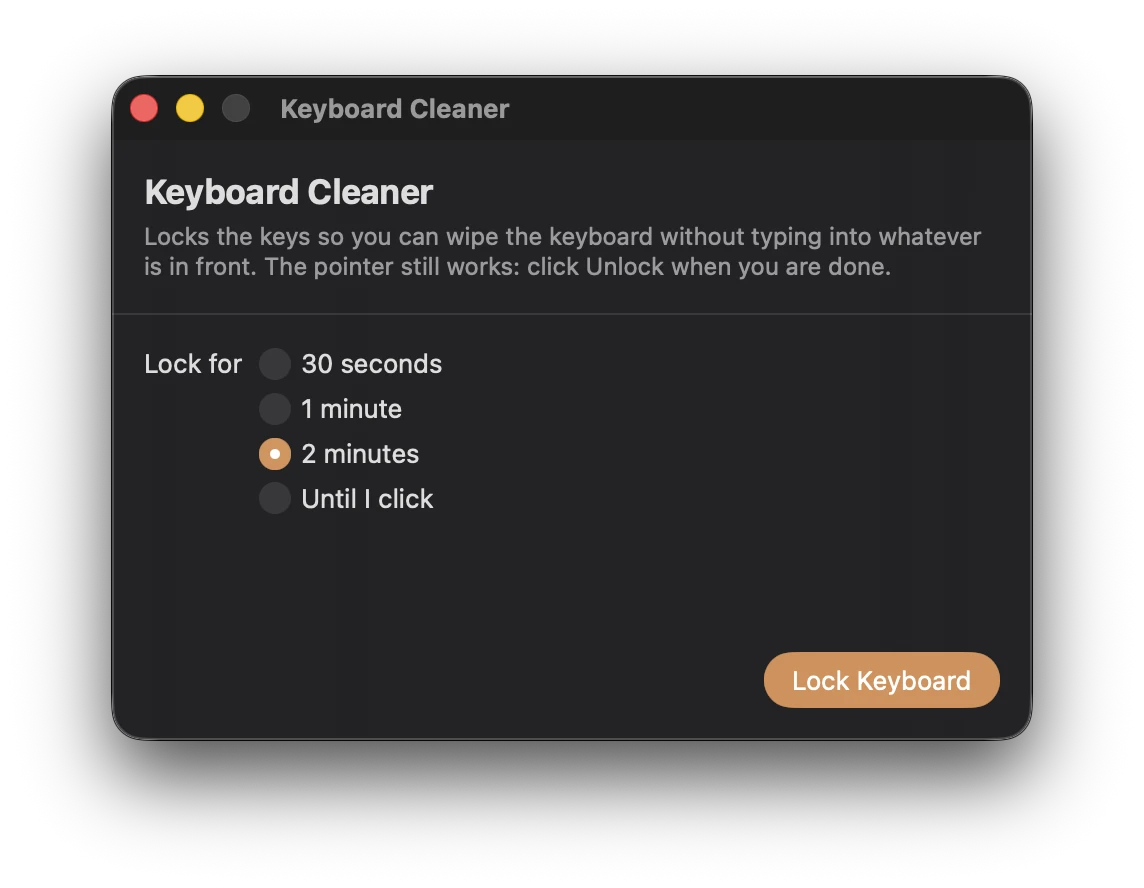
Lock the keyboard
- Right-click or Control-click the Keepresso cup in the menu bar.
- Choose Keyboard Cleaner….
- Pick 30 seconds, 1 minute, 2 minutes, or Until I click.
- Click Lock Keyboard.
Keepresso covers every display with a clear locked message. You can now wipe the keyboard without ordinary keys, media keys, Spotlight, Mission Control, or Dictation acting on the Mac.
The pointer remains live. Click Unlock when you finish, or let the countdown end if you selected a timed lock.
Why Keepresso may ask for administrator approval
Blocking keys across the whole Mac uses the same narrowly-scoped administrator helper as closed-display mode, fan control, AWDL pausing, and DNS flushing. If the helper is already approved under System Settings, General, Login Items, the lock is immediate and silent.
Without the helper, macOS may ask for an administrator password for that app run. If another utility already owns the keyboard and the global lock cannot be installed, Keepresso says so and falls back to ignoring keys while its overlay is in front.
Keyboard Cleaner does not request Accessibility access. The pointer stays available specifically so there is always a visible way out.
Clean without damaging the Mac
- Use a soft, lint-free cloth rather than spraying liquid onto the keyboard.
- Keep moisture away from openings and ports.
- Do not force debris underneath a keycap.
- Follow Apple's cleaning guidance for the material and Mac model you own.
Keyboard Cleaner prevents accidental input; it does not change the physical cleaning advice for your device.
Related
Get Keepresso
Free and open source, for macOS 14 and newer. Install it and keep your Mac awake on your terms.
More in Using Keepresso