Toggle keep-awake with a keyboard shortcut
Reaching for the menu bar is fine, but sometimes you want keep-awake one keystroke away, or on before you even think about it. Keepresso does both: a system-wide keyboard shortcut and an auto-start on launch option.
A global keyboard shortcut
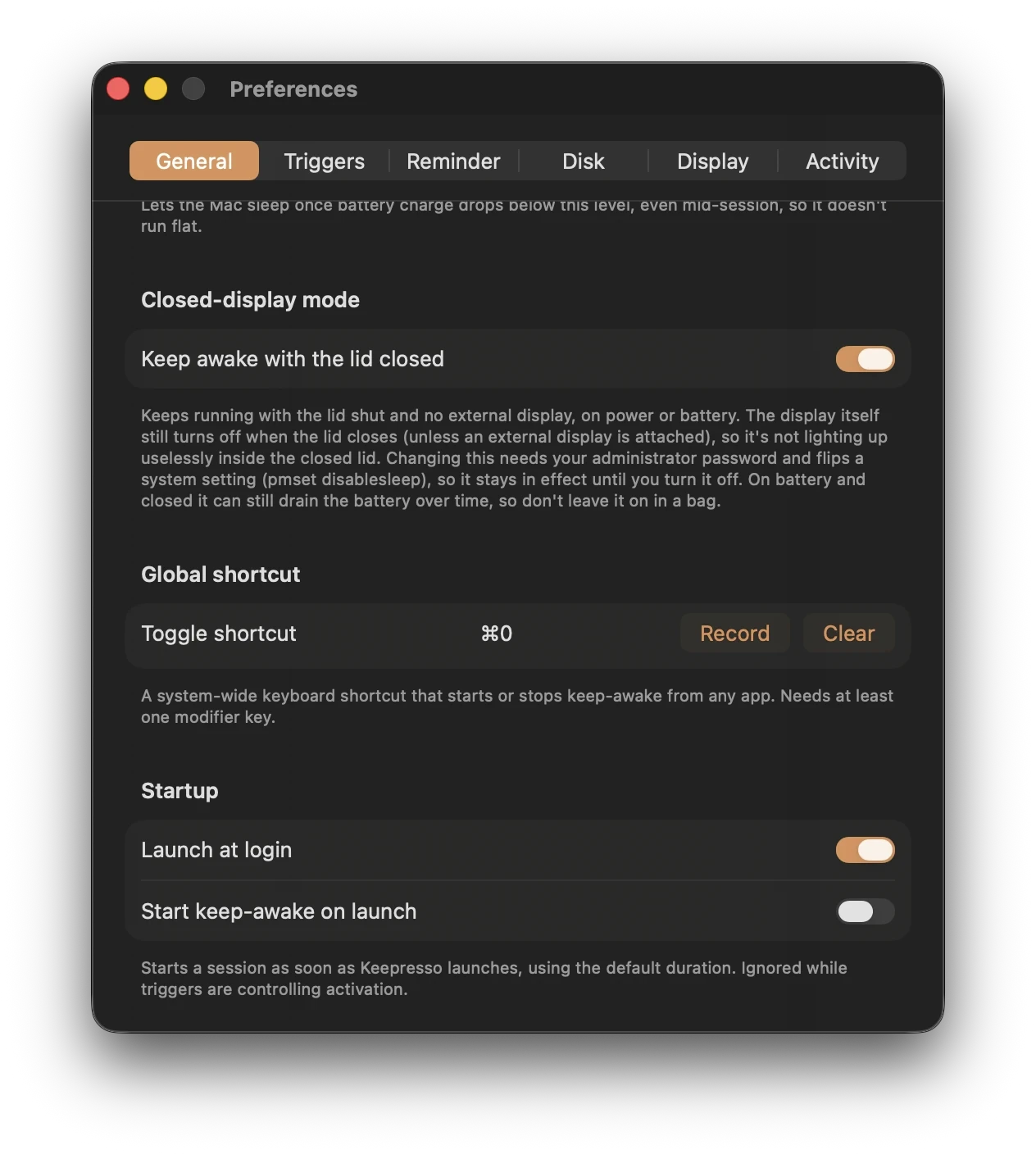
Set a hotkey in Keepresso's preferences and it works everywhere, from any app, without switching windows. Tap it once to start a keep-awake session, tap it again to stop. It is the fastest way to hold your Mac up for a moment, say before you walk away from a running task, and let it sleep again the second you are done.
Set it under Record in General preferences, using at least one modifier key, and Clear removes it. Because it is a manual toggle, it also makes a handy override: if you run Keepresso on triggers, the shortcut flips the session on regardless of what the conditions say, then hands control back when you turn it off.
Start a session on launch
Turn on start a session when Keepresso opens and it begins keeping your Mac awake the moment the app launches. Combine it with launch at login and an always-on Mac holds itself up from boot, before you touch anything. It is the setup you want on a Mac mini or Studio that lives as a build machine or agent host: power it on, and it is already awake and staying that way.
If you would rather it start conditionally, leave this off and use smart triggers instead, so it only wakes up when there is a reason to.
Which one to use
- Just want it up sometimes? The keyboard shortcut is the quickest on and off.
- Machine that should always be awake? Start on launch, plus launch at login.
- Awake only when something is running? Triggers, and keep the shortcut as a manual override.
Related
Get Keepresso
Free and open source, for macOS 14 and newer. Install it and keep your Mac awake on your terms.
More in Using Keepresso